.png)
What we launched in January 2026
Reapit’s newest release brings mobile Conversations, withdrawn listing access, smarter inspection workflows, bulk communication from listings, faster lead follow‑up for BDMs, and NZ bond top‑up enhancements - all designed to help agencies work faster and more efficiently.
This just in: View emails & SMS on mobile
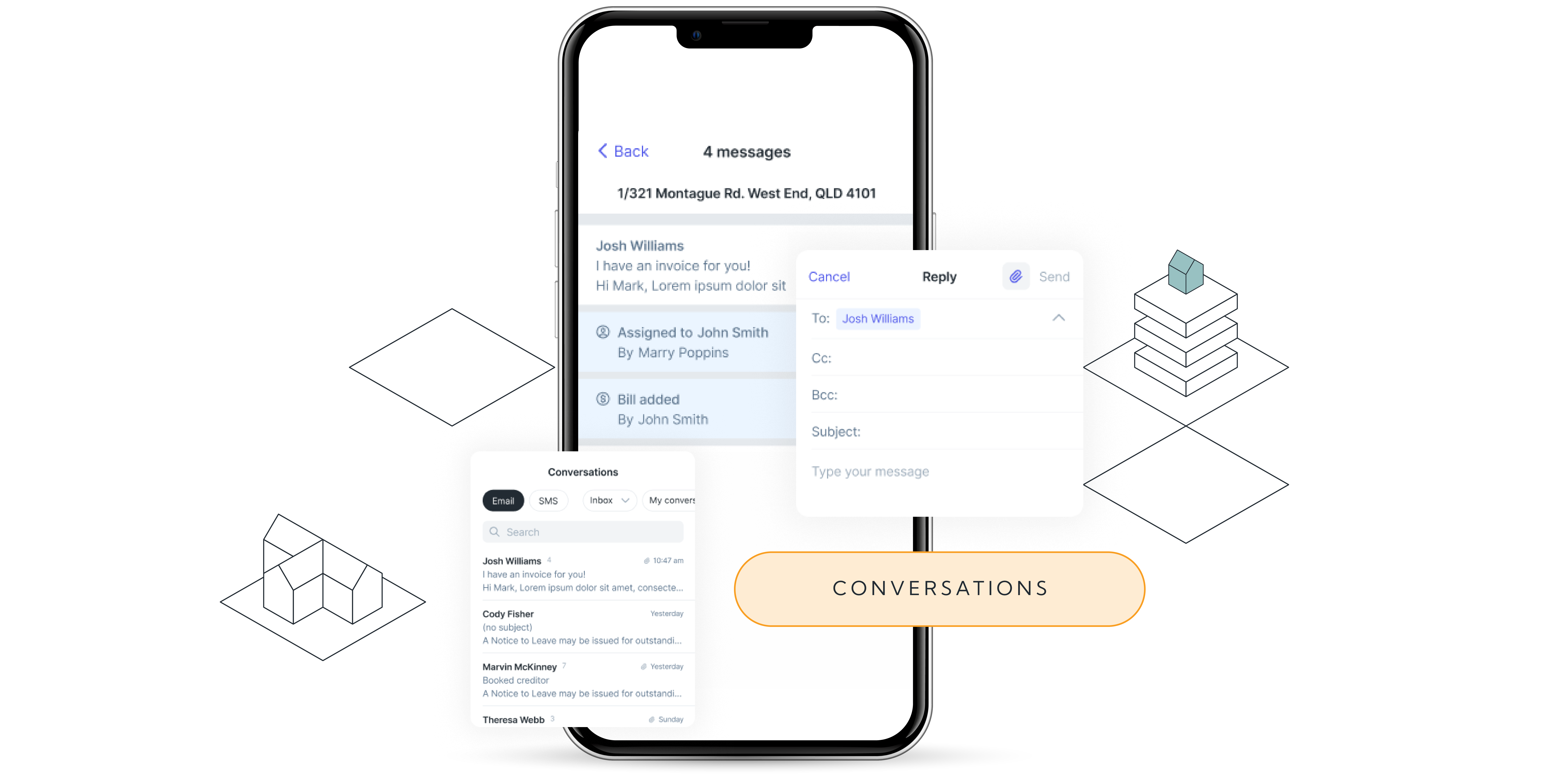
Premium Reapit PM users can now access inbound emails and SMS messages directly from their mobile app. Your communications are organised into simple lists so you can stay on top of everything while you’re on the go.
What’s new:
- Filter messages by user
- Reply, reply all or forward emails from within the app
- View full Conversation threads in a clean, chronological timeline, just like Conversations on desktop
To enable Conversations, you’ll first need to link your Gmail or Outlook account to Reapit PM. If you’re not yet a Reapit PM Premium client, reach out to your Account Manager to discuss upgrading and unlocking access to Conversations. You can also send an upgrade request directly from the message icon in the PM app toolbar.
→ Get started with Conversations
Access withdrawn listings on the mobile app
The Reapit Sales Mobile App has been enhanced to give users quick, mobile access to Withdrawn Listings.
Users can now view Withdrawn Listings directly from My Listings by applying the Withdrawn status filter. This makes it easier for users to prospect past vendors and buyers, identify re-listing opportunities, and review withdrawn reasons (where available) from the Details tab. Access is permission-based and limited to listings the user is assigned to.
Withdrawn Listings appear in My Listings only and are not included in Universal Search results.
This release also includes an improvement to saved filter behaviour. Previously, statuses such as Withdrawn, Leased, and Settled would stay applied across all sessions, which could slow down listing results. These statuses will now automatically clear whenever the user leaves the screen, closes the app, or logs out. Users can reapply them at any time when needed.
→ Learn how to access listings
.png)
Inspection Workflow updates
We’ve rolled out three updates to our Inspections Workflow, all focused on solving the three biggest issues you’ve told us about:
Settings for recurring inspections
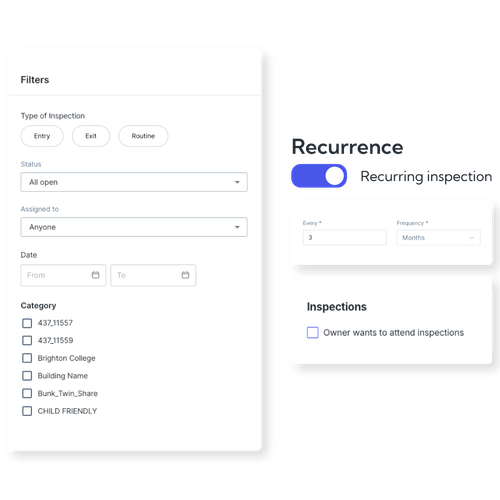
You can now set your office’s preferred routine inspection frequency, including the timing of the first inspection. These settings automatically flow into every new tenancy, removing manual setup and ensuring no routine inspections are missed.
Filter inspections by category
You can now assign categories to properties and filter the inspection workflow list by those categories. This helps PMs group routine inspections by area or building with far less effort.
Owner wants to attend tick box
A new tick box on the Owner Agreement now captures whether the owner wants to attend inspections. This preference appears as an ‘owner’ icon in the inspection workflow list, helping PMs know when they need to contact that owner before scheduling an inspection.
→ Learn how to use these new updates
Engage all prospective buyers linked to a listing with Bulk Communicate via Listing Activity
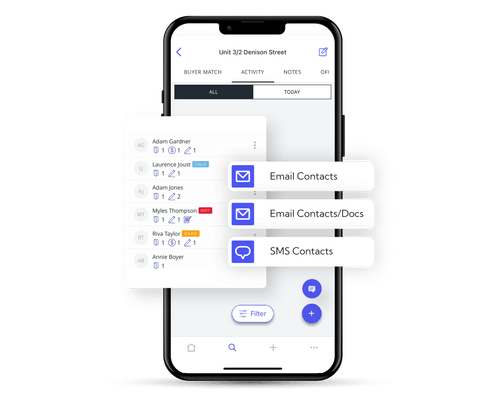
Send bulk SMS and bulk emails, including contracts and documents, directly from the listing. This update expands beyond Attendees, letting you reach all interested buyers with ease.
Whether you're sending an auction reminder SMS or emailing contracts to all inspection attendees, this update gives you more control, flexibility and speed.
You can apply filters to refine your recipient list, choose a template or write a custom message with variables. When emailing contracts, the system will automatically flag those contacts as having received a contract.
→ Learn how to access Listing Activity
Direct lead access for BDMs on mobile
Ever received a new lead or a status update on a prospective owner and had to wait until you were back in the office to follow it up? With the new lead‑link Merge Fields, you can now receive a direct link in your email or via SMS, letting you open the lead instantly on your mobile and take action right away.
If you’re already logged into Reapit Connect on your phone, the lead opens immediately in a mobile‑friendly view. And because the links work from both email and SMS, you can access lead details quickly and easily wherever the message arrives.
→ Learn how to edit BDM Status Messages
.png)
Inspection management just got easier with Past Attendees
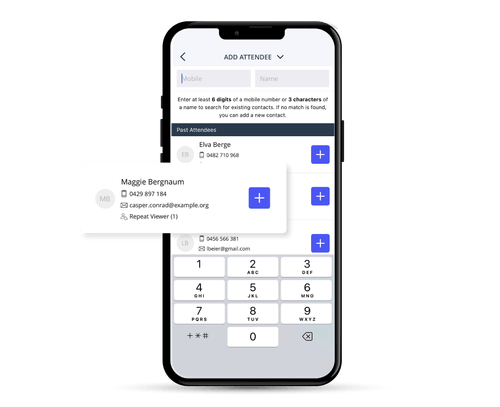
Agents can now quickly add attendees who have previously inspected the property in the Reapit Sales Mobile App. The Past Attendees update removes the need to re-enter mobile numbers or repeat the check-in process, helping users save time and move through inspections faster.
→ Learn how to add Past Attendees
Updates to Bonds in New Zealand
You may have heard that Tenancy Services NZ have recently updated their bonds API - which means bond top-ups are here!
We have made two changes in Reapit PM to make this process as smooth as possible for New Zealand clients:
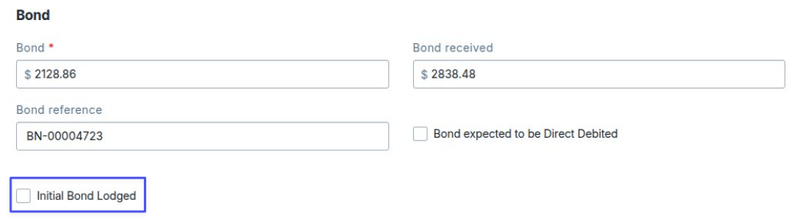
(1) On the tenancy, a checkbox will be checked by default when Reapit PM identifies the initial bond as being already disbursed, indicating that future bond payments will be treated as top-ups.
(2) When disbursing bonds, you can now see a label under the amount to show lodgement or top-up, allowing differentiation when selecting values to disburse.
→ Learn how to complete a bond top-up
see more blogs
Related content