
Reapit Product updates
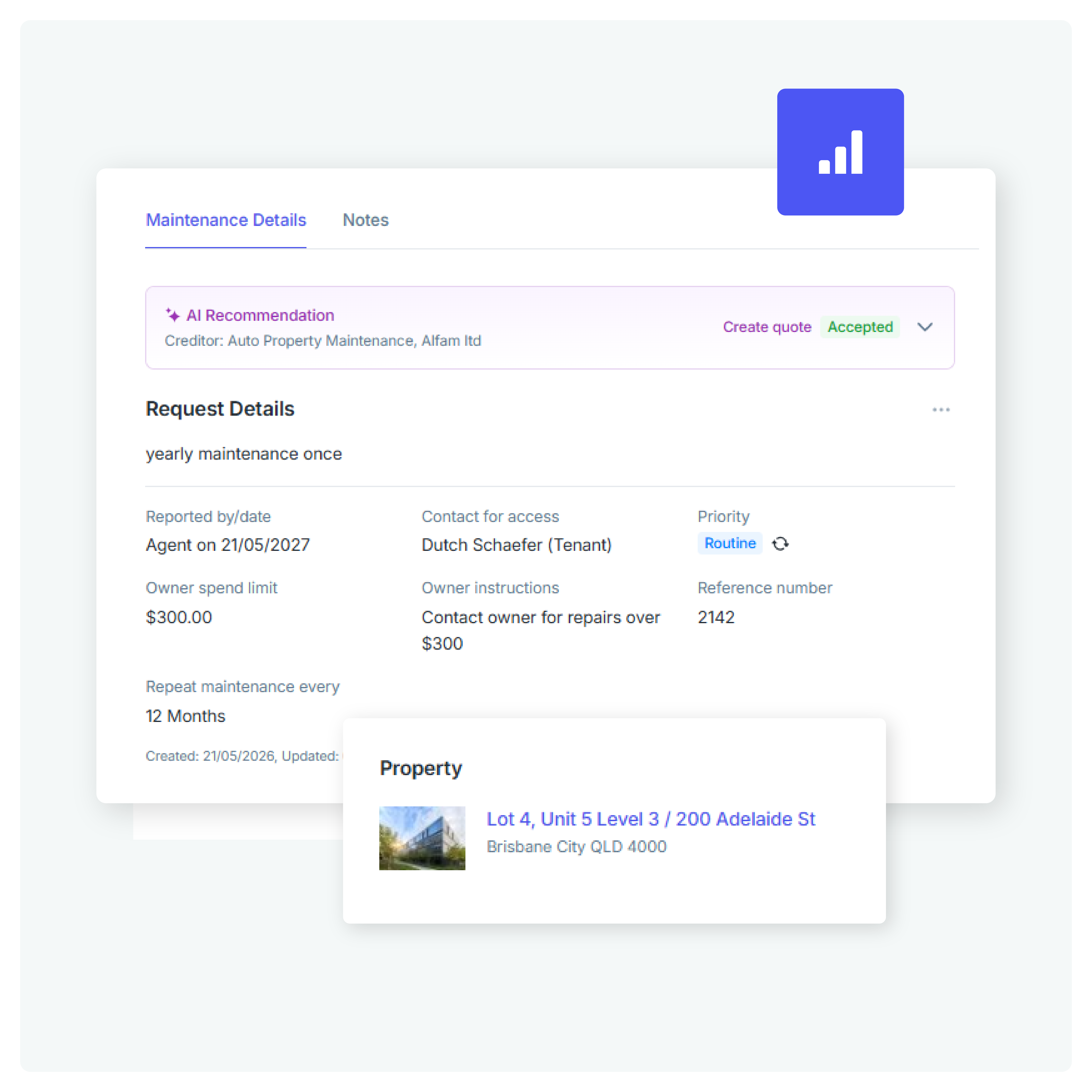
Improvements to RAI in Maintenance based on your feedback
Every PM team has its own processes, preferred creditors and communication style. These latest RAI (Reapit Artificial Intelligence) Maintenance enhancements help recommendations feel more relevant and actionable by learning from how your office actually operates meaning you spend less time reviewing recommendations, make fewer manual adjustments, and reach faster decisions throughout the maintenance workflow.
- The recommendation card now collapses, giving you more room to review maintenance details.
- RAI now considers your office's historical creditor usage and service preferences.
- Whether your office typically requests quotes first or proceeds straight to work orders, RAI now steers recommendations based on your established processes and owner instructions.
- AI-generated descriptions and communications are now shorter and natural.
What else in new?
Check out what’s new - built to give your agency one platform to work, one source of truth, and one path to growth.


Reapit Sales Mobile has a refreshed look and feel across key areas of the app.
Including
- Properties
- Contacts
- Appraisals
- Listings
- Universal Search
The updated experience makes it quicker and easier to navigate the app, find the information you need and complete everyday tasks while you’re on the go.
While the interface may look different, the core workflows you rely on remain familiar.
Available now.
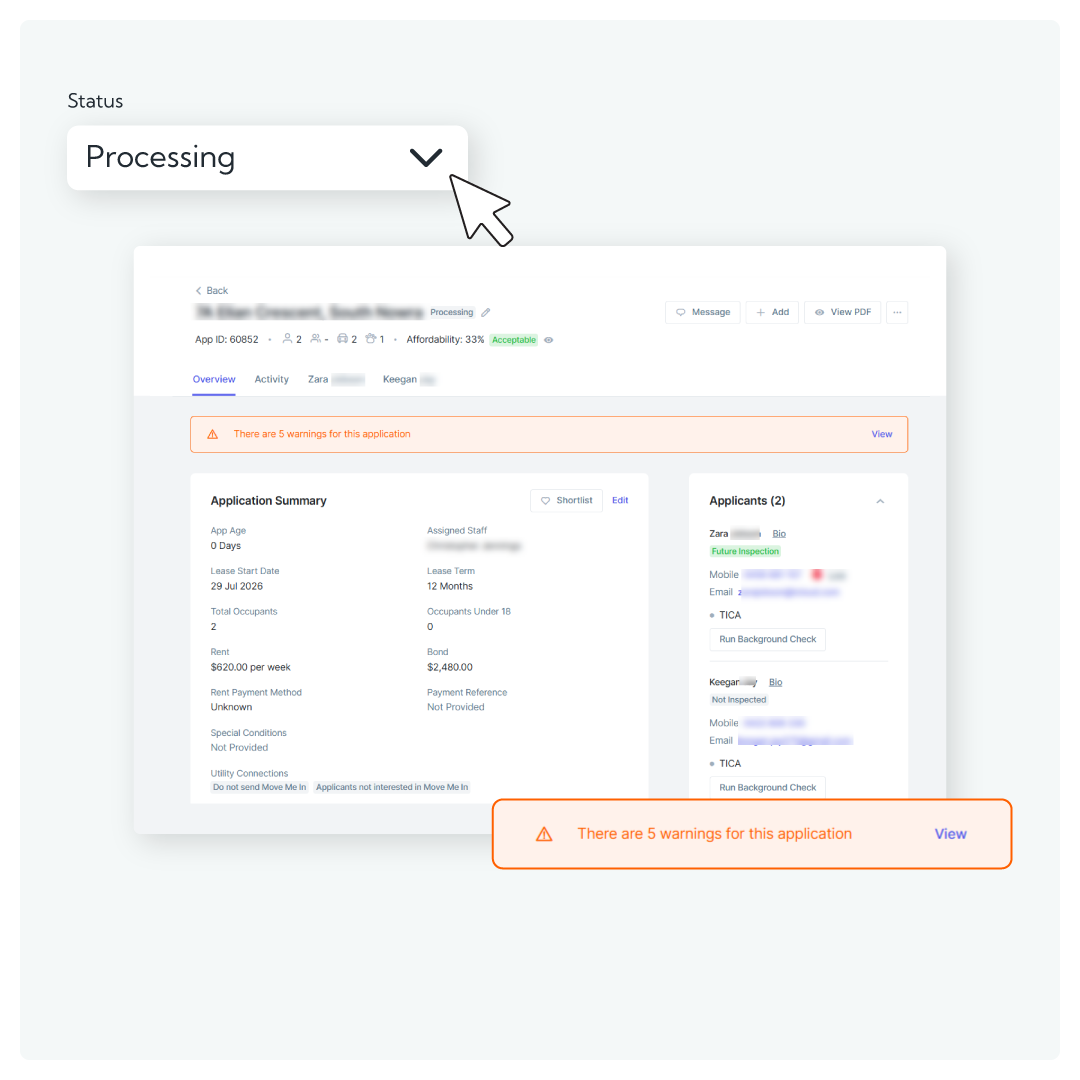

We're introducing a redesigned Application Processing experience. The new interface brings key applicant information together, helping you review and compare applications more efficiently while maintaining all existing functionality.
How it works:
- New Overview Summary page for faster applicant shortlisting
- Run background checks from a centralised view
- Warning indicators surfaced from applicant records
Want to be one of the first to try it?
We're looking for customers to participate in the beta program and provide feedback on the new experience.
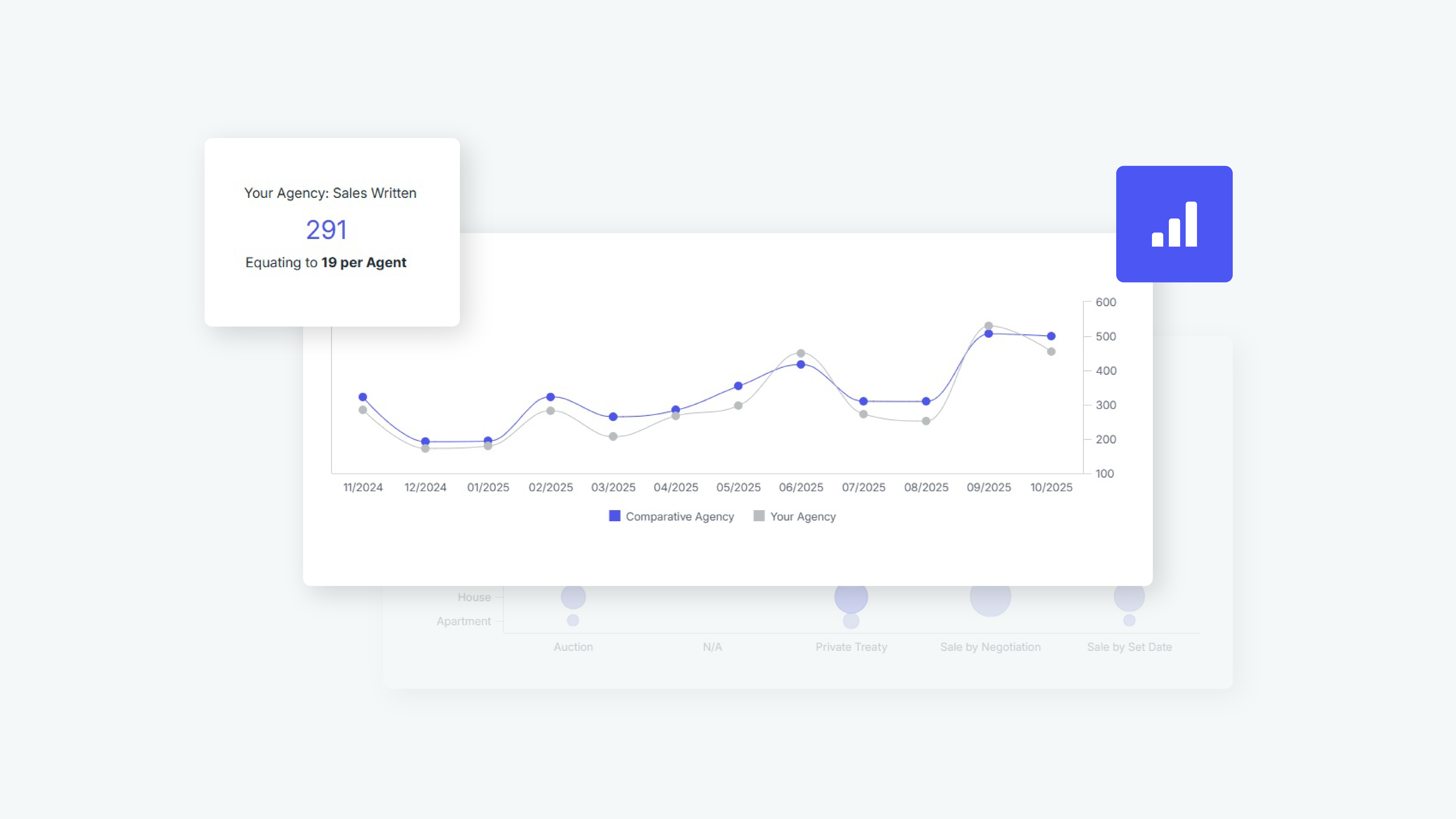
Compare key performance measures across your office and individual agents, explore trends over time and identify areas of strength or opportunities for improvement.
With greater context around your results, you can make more informed decisions about where to focus your team’s efforts.
Get started→
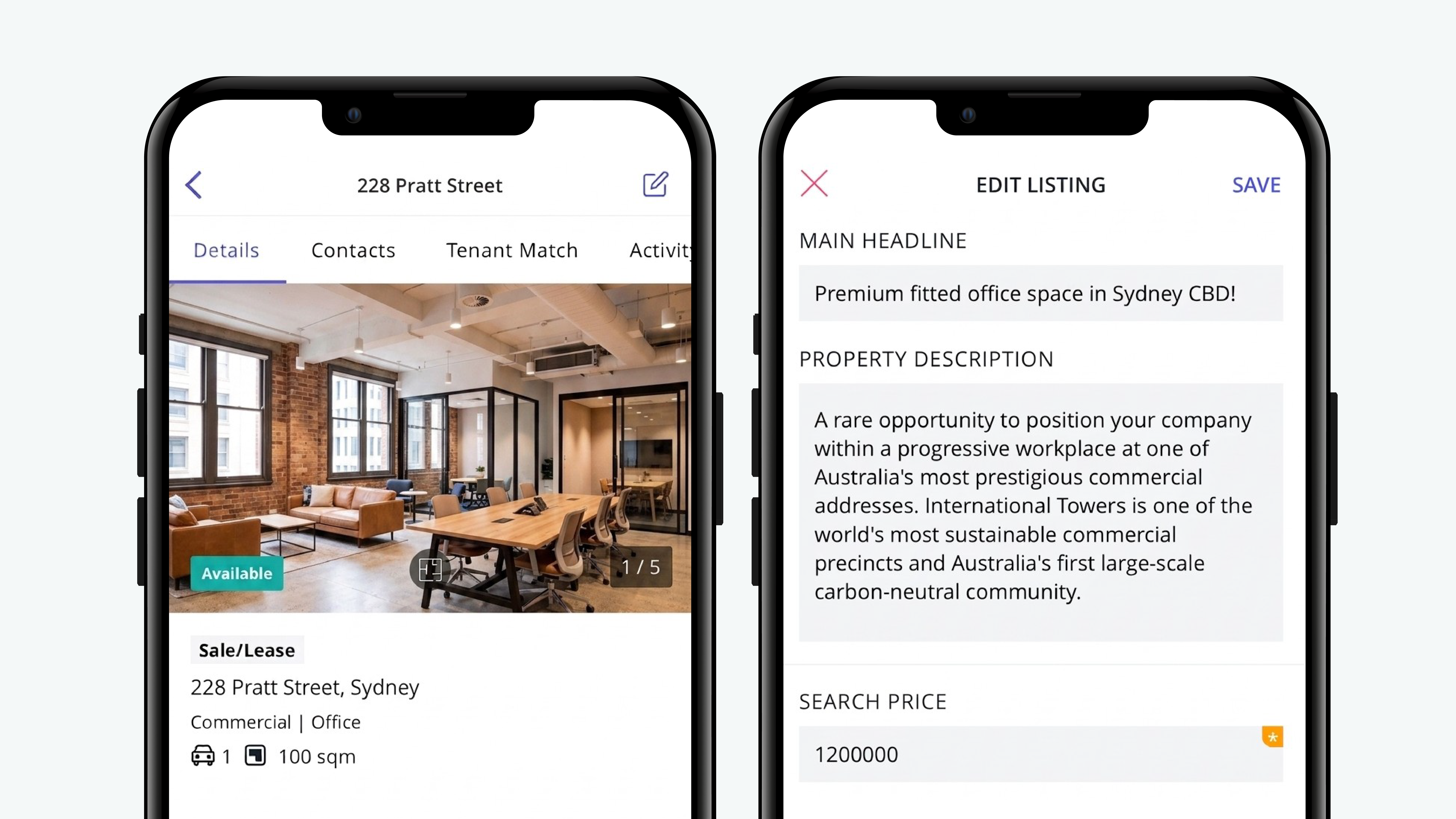
Agents will be able to edit live commercial for sale commercial for lease, rural for sale and rural for lease listings directly from the app.
Whether you’re at a property, travelling between appointments or working away from the office, you can make updates when they are needed and keep listing information accurate without returning to your desktop.

The updated experience brings important contact information together in a clearer table layout, helping you quickly find the details you need.
Improved search and filtering make it easier to narrow down your results, while a more intuitive design simplifies everyday contact management.
The new Contacts list will be introduced gradually to support a smooth transition.
We’ll share more information about when it will be available to your office, what to expect and how to get started closer to release.
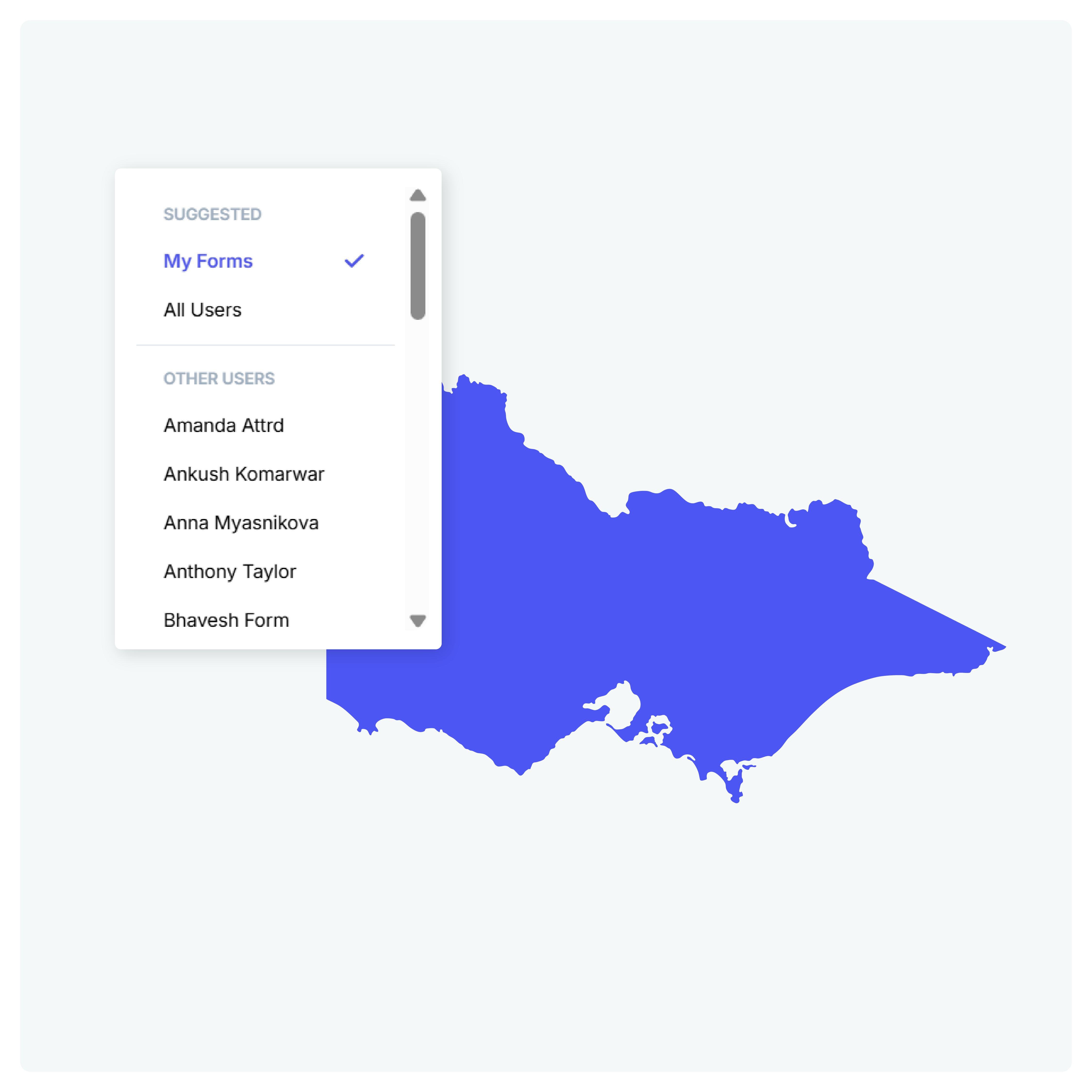

By keeping the process inside Reapit, your team can reduce manual administration, speed up agreement preparation and manage signatures digitally from start to finish.
A new owner-signing option also gives Victorian agencies additional flexibility when a Rental Provider needs to sign the agreement instead of an agent.
Activate Reapit Forms in Lettings →
Activate Reapit Forms in PM →

Which is why Realworks have released several improvements to help ensure the correct property, tenant and lease renewal information is available when creating forms. This means less time searching for records and fewer details needing to be entered manually.
What's new in Realworks:
- Property searches now default to searching against Reapit PM data
- Property searches now support addresses with building names
- Past, current and future tenants can now be selected
- Form 18a General Tenancy Agreement + REIQ Special Conditions now pulls through lease renewal information, including updated rent amounts and tenancy dates
In case you missed it
See the improvements we've introduced over the past few months.

Explore Reapit’s July ’26 updates, including connected payments with TrustIQ and Reapit Lettings, smarter lease renewals with Reapit Forms, the new Inspection e-Brochure and more!
.png)
Explore Reapit’s June ’26 updates, including Reapit AI in the Reapit PM Maintenance Workflow, Reapit Forms available in new regions, the new Reapit Sales Contacts experience beta program, and more!
.png)
Explore Reapit’s May ’26 updates, including Reapit AI in Reapit PM Conversations, the smarter way to simplify trust accounting, new reports in Analytics+ and more!
.png)
Explore Reapit’s April ’26 updates, including mandatory MFA, ACMA Sender ID changes, new integrations, rental law updates, and powerful workflow improvements.
.png)
Discover the latest Reapit updates, including auto due dates for rent reviews, Victorian prescribed application form updates, reporting enhancements, and more.
.png)
Discover the latest Reapit updates, including a redesigned inspection flow, improved bond handling, invoicing enhancements, App Switcher additions, and upcoming VIC features.
reapit resources
Resource guide

