
What we launched in September 2026
Catch up on Reapit's September product updates, with enhancements to bulk contact management, compliance workflows, lease renewals, inspections, websites, forms, analytics and AI-powered property management tools designed to help agencies work smarter and more efficiently.
-p-1080.png)
Save time with bulk Contact Classes
You can now add custom Contact Classes to multiple contacts at once in Advanced Search, Buyer Match and Prospective Buyer. This makes it easier to organise your database when you’re working with a group of contacts, without updating each record individually.
Bulk adding custom Contact Classes is available to all users in these areas. Users with the existing Bulk Update Contacts permission can also perform bulk contact updates in Prospective Buyer, extending that capability to another workflow.
Learn how bulk contact updates work→
What else in new?
Check out what’s new - built to give your agency one platform to work, one source of truth, and one path to growth.
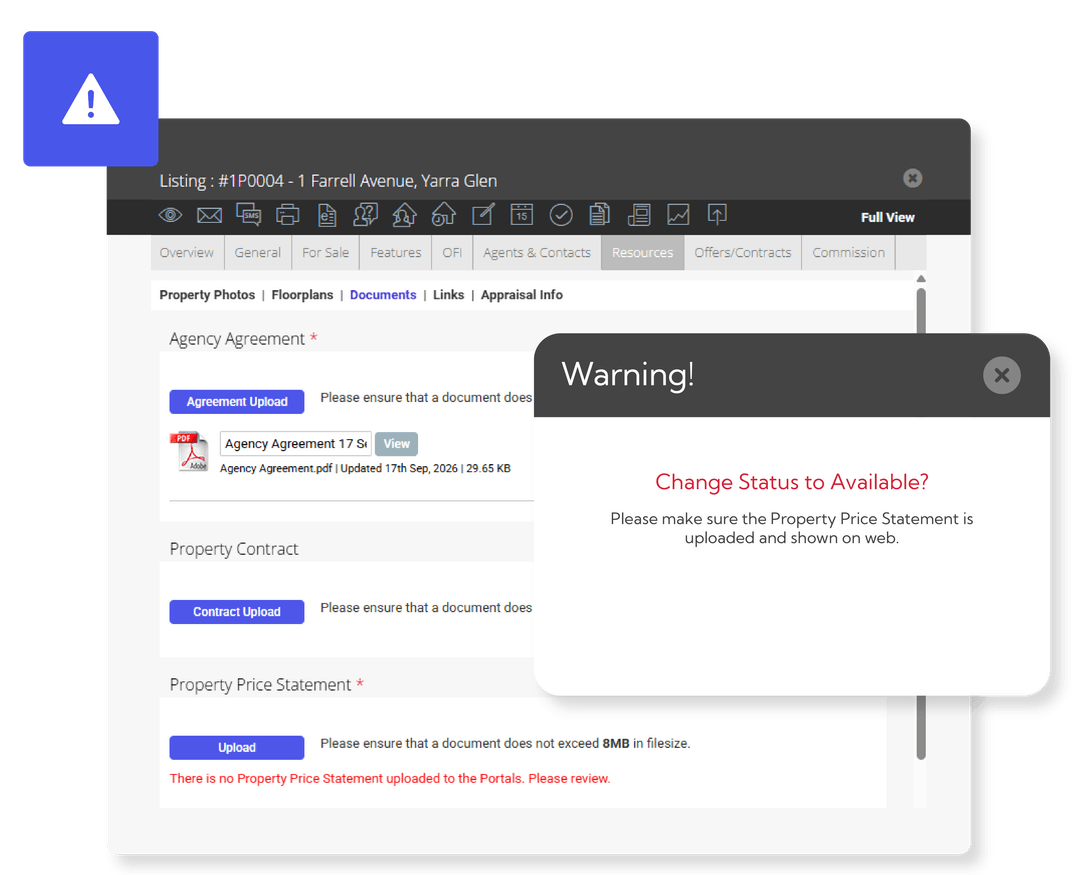
Updates to support Victoria’s Property Price Statement changes
From 1 October 2026, Victoria’s Statement of Information will be replaced by the Property Price Statement (PPS). We’re updating the document workflow in Reapit Sales to help agencies manage the new statement for Victorian listings.
The updates include:
- A dedicated document type: Upload the statement under Documents > Statement of Information / Property Price Statement.
- A prompt before activation: If the document is missing when you set a Victorian listing to active, Reapit Sales will prompt you to add it.
- Web visibility by default: Show on Web will be selected when the document is uploaded, helping you send it to property portals.
- Clearer document status: When you upload an updated version, you’ll be able to see which statement is active. Check that Show on Web is selected only for the version you want sent to portals.
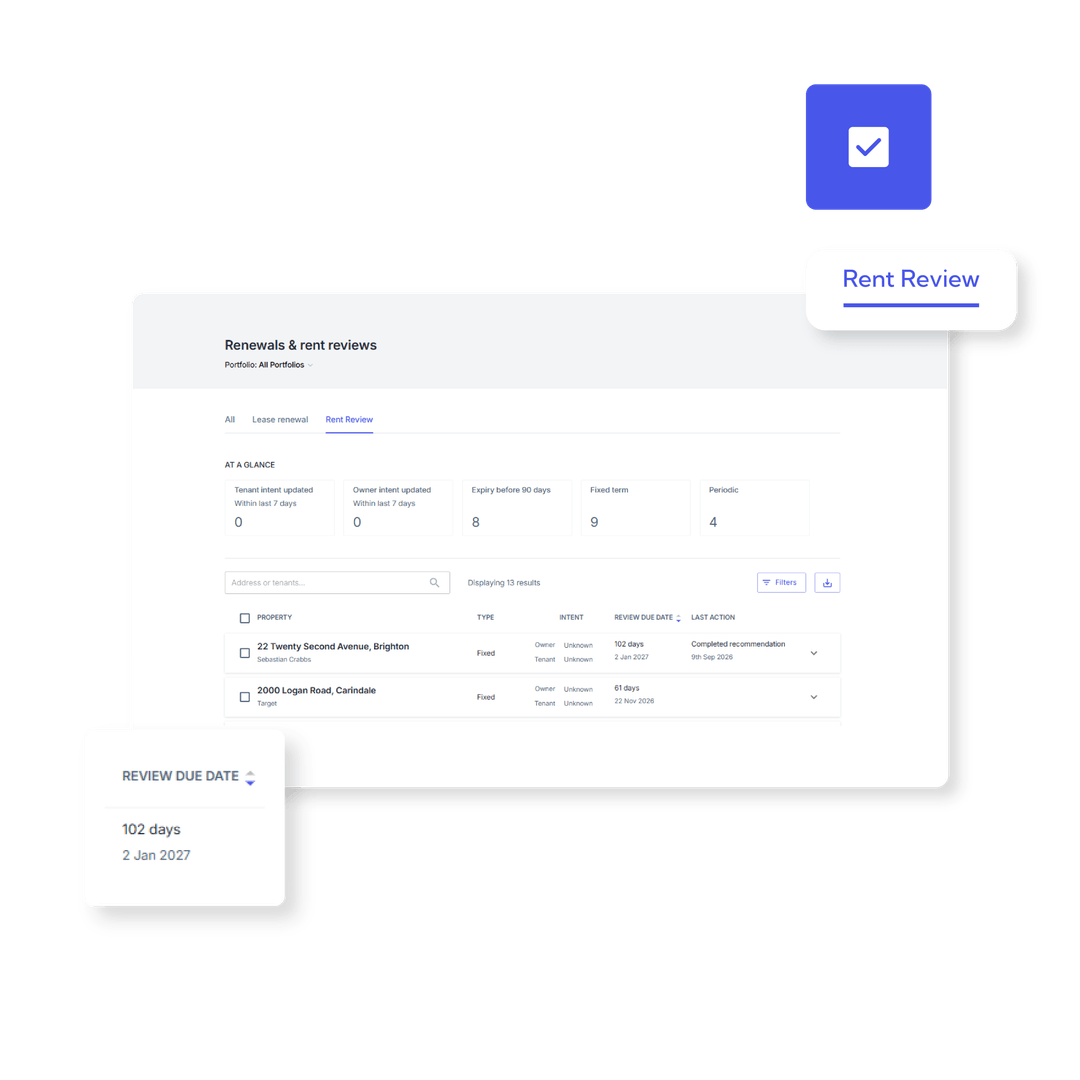
Rent reviews, now part of your Lease Renewal Workflow
Rent reviews shouldn't require a separate process. Coming soon, you'll manage both from the Lease Renewal Workflow. Your team can spot upcoming reviews earlier, get owner approval faster and keep lease details accurate without the extra admin.
Coming soon, you'll be able to:
- See every lease with a rent review due in the next 120 days, in one view
- Send owners a dedicated rent review approval email, with or without a CMA
- Apply a rent increase without processing a full lease renewal
- Update future rent review dates directly from the workflow
- Manage rent reviews and lease renewals from one place
Get prepared now
New owner communication templates are already available and can be customised before release. Navigate to Settings > Templates, then filter by Owner and Lease Renewal to find the new Rent Review and Rent Review with CMA templates.
We recommend reviewing and updating these templates now so they're ready to use from day one.

Victorian agencies: 30 extra days to plan lease renewals
To help Victorian agencies stay ahead of legislative notice requirements, the Lease Renewal Workflow now shows Victorian leases up to 150 days before expiry, up from 120.That gives your team an extra month to review rent, talk to owners and tenants, and act well within notice timeframes.What's changed:
- Victorian leases now appear in the workflow 150 days before expiry
- 30 extra days to plan rent increases and renewal decisions
- Better alignment with Victorian notice period requirements

A more tailored website experience for your buyers
We've released new website features to help buyers find relevant properties, keep track of their favourites and get to know your agents. You can tailor the experience to suit your property offering, with more flexibility built in and less need for custom development.What's new:
- Tailor your search filters by choosing which Bed/Bath, Car and Price Min/Max filters appear on your homepage and search results pages. Each page can be configured independently, making search more relevant for commercial and land listings.
- Let buyers save their favourite properties and revisit them on a dedicated page. You can choose whether a login is required, creating an opportunity to capture lead
- Showcase your team with dual agent photos and agent profile videos sourced from PropertyHub, helping buyers get to know the people behind your agency.

Know at a glance which inspections still need booking
We're introducing a new Unscheduled status for routine inspections. An inspection stays Unscheduled until the notice is sent to the tenant, then moves to Scheduled. Easily see which inspections still need action and those that have already been booked and communicated to tenants.
What's changing:
- New Unscheduled status for inspections awaiting a notice
- Scheduled now means the tenant has been notified
- Filter by Unscheduled to see exactly what still needs booking
- Supports bulk scheduling and route mapping functionality that’s coming soon (see below)
Watch this sneak peak video of the new updates →
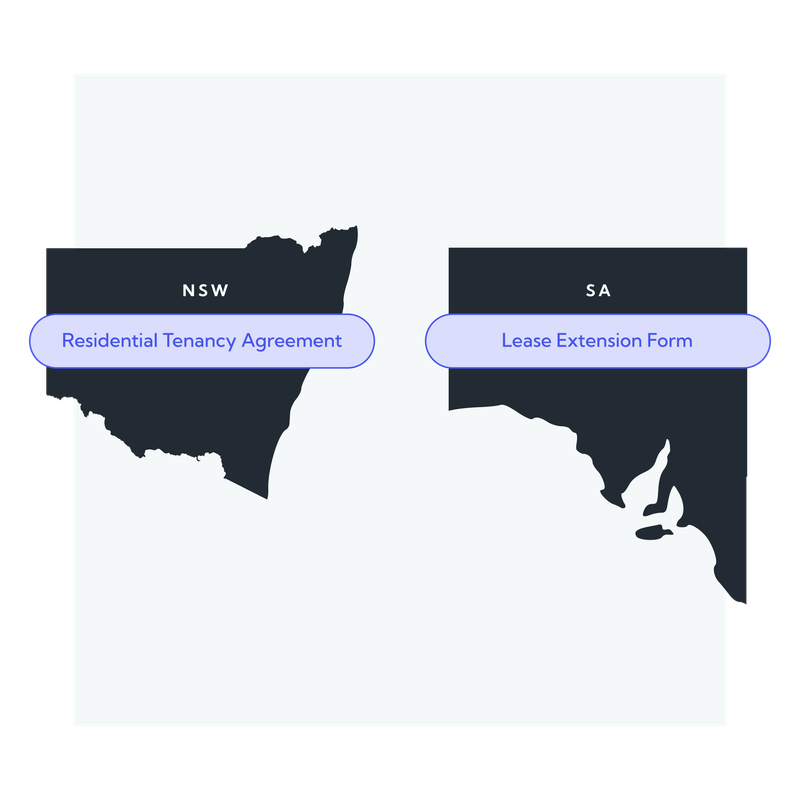
The right tenancy forms for NSW and SA, pre-filled for you
Reapit Forms now includes the NSW Residential Tenancy Agreement as per the latest version released on the 21st of September in line with the domestic violence reforms , plus a new SA Lease Extension Form you can open straight from the Lease Renewal Workflow.Tenancy and property details pre-fill from Reapit PM, so there's less retyping and fewer errors.What's new:
- NSW: latest Residential Tenancy Agreement, updated automatically
- NSW: capture bond contribution details and merge them onto agreements
- SA: Lease Extension Form available directly from the Lease Renewal Workflow

Let Reapit PM plan your inspection runs
Planning routine inspections is one of the most time-consuming jobs in property management. Coming soon, Reapit PM will do the heavy lifting. It will prepare inspection batches based on your office preferences, group them into efficient runs on a map and generate notices in bulk. You stay in control and review every batch before anything is sent.What's coming:
- AI-assisted inspection planning built around your office preferences
- A map view that groups inspections by location and inspector
- Review and adjust every batch before notices go out
- Saved batches any team member can pick up and finish
- Generate notices for a whole batch at once
Want to be one of the first to try it?
We're looking for customers to participate in the beta program and provide feedback on the new experience.
Submit your interest for the Beta here →
Watch this sneak peak video of the new updates →
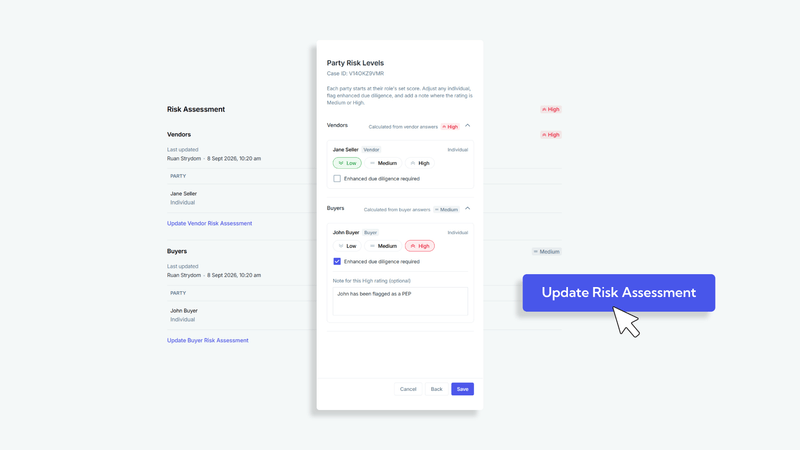
Assess buyer and vendor risk separately in Reapit Verify
Risk Assessments in Reapit Verify now have separate assessment types for buyers and vendors.You can ask questions relevant to each party, record individual risk ratings and more easily identify when Enhanced Due Diligence (EDD) is required.If you’re a Compliance Officer, your existing questions have been copied to both assessment types.Review each configuration to make sure the questions and risk outcomes suit your agency’s processes.Learn more about Risk Assessments →
Also new in Reapit Verify:
- Expanded onboarding for individual applicants, with configurable questions covering areas such as aliases, income source, politically exposed persons (PEPs), financing and payment methods. Responses can be viewed in the verification drawer.
- Enhanced PEPs and Sanctions review, including a new Watchlist Match status and access to additional match details directly from the verification drawer.
Leaderboard report: Make team performance easier to see
Get a clearer view of how your agents and teams are performing with Leader board in Analytics+. Use performance data to recognise strong results, uncover coaching opportunities and keep your team focused on the metrics that matter.
see more blogs
Related content