.png)
What we launched in March 2026
Discover the latest Reapit updates, including auto due dates for rent reviews, Victorian prescribed application form updates, reporting enhancements, and more.
Set auto due dates for Rent Reviews
You can now set a default office‑wide rent review due date in Reapit PM by choosing how many days before the end of a fixed‑term tenancy you want reviews to occur. Once this is set, the system will automatically apply that timing for you.Every time you renew a fixed‑term lease or create a new fixed‑term tenancy, the Rent Review Due Date will be generated based on your preset rule, ensuring consistency across your office and saving you from having to enter it manually each time.
See how to manage Rent Reviews →

The Victorian Prescribed Application Form
The Victorian Government has introduced a new state-wide prescribed rental application form that all Victorian agencies must use from March 31 2026. We have updated the 2Apply application form for Victorian clients to match this new standard. This new form was release in Reapit Lettings on March 25.
We’ve also updated our blog post on the Victorian rental law changes. It now includes:
- A full breakdown of the updates made to the 2Apply form to match the new standard
- A list of Reapit Lettings settings our Victorian clients need to review from 25 March to ensure compliance

Report Enhancements – Permissions and Limits
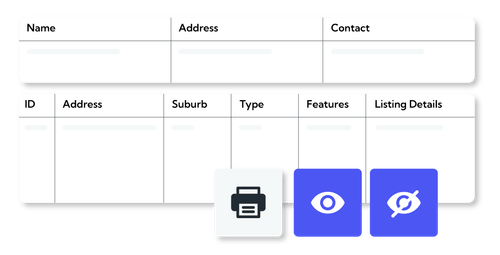
Gain greater control over who can access, print and download reports across your business.
With new permissions and expanded limits, agencies can now manage report access, set print and download limits for both contacts and properties, and ensure data is used securely and in line with company policy.
This update gives you more flexibility, stronger data protection, and better control over how information is accessed and shared.
Learn more about managing permissions & configuring report limits →
Prospective Vendor Activity Notification
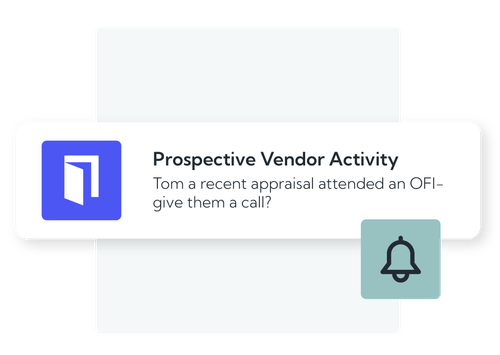
Agents will now have the ability to receive a push notification when a prospective vendor attends an open home, signalling increased intent to sell. This notification is triggered when the agent has completed a For Sale appraisal with the contact within the past 12 months.
Tapping the notification opens the contact record, and a follow-up task is automatically created, due within 48 hours, prompting timely action. This update helps agents identify high-intent sellers faster and streamline follow-up.
Learn more about Push Notifications here →
Easier management of BPAY Biller Codes
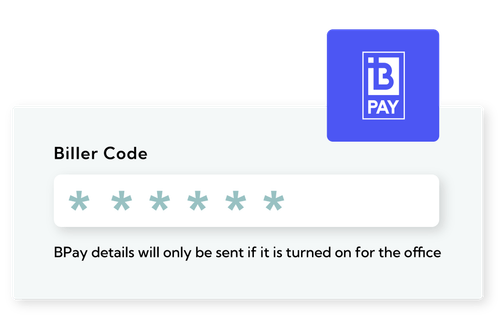
If your organisation has multiple BPAY biller codes, you can now manage them more flexibly. Many agencies use one biller code for existing tenancies and a new one for all future tenancies, but until now it’s been tricky to reflect that setup on invoices.
With our updated BPAY settings, you can set your global biller code to the new one, then simply override individual tenancies that still need to use the old code. This keeps your invoicing accurate, consistent, and aligned with your operational setup.
see more blogs
Related content